2022年9月4日 星期日

Study suggests posting on social media makes users overconfident


Sharing articles on social media makes people think they know more about the articles' topics than they actually do, according to a new study from the University of Texas at Austin. 

Sharing a news article, for instance, can make people think they know more about its subject even if they have not read it or have only glanced at the headline, the study says. 

"Sharing can create this rise in confidence because by putting information online, sharers publicly commit to an expert identity," the study says. "Doing so shapes their sense of self, helping them to feel just as knowledgeable as their post makes them seem."

5 GOOGLE MAPS, APPLE MAPS AND WAZE TIPS AND TRICKS YOU NEED TO TRY

The study, published online in advance in the Journal of Consumers Psychology, includes data from the Reuters Institute for the Study of Journalism that showed barely more than half of consumers read the entire article, while about a quarter read part of the story, and just over a fifth scan the headline and a few paragraphs. 

Marketing professor Susan M. Broniarczyk said people might feel they don’t need to read or learn additional information on a topic if they feel more knowledgeable about it. 

"This miscalibrated sense of knowledge can be hard to correct," Broniarczyk said. 


via Fox News https://ift.tt/HoAYryZ

5 Google Maps, Apple Maps and Waze tips and tricks you need to try


The convenience of GPS apps comes with a downside. Here’s how to see years of details everywhere you've used Google Maps. It’s a bit startling to see it all in one place. 

There are more private options. DuckDuckGo’s navigation service uses the framework of Apple Maps without all the tracking. Tap or click here to see how it works

Most of us will prefer to use the big hitters: Google, Apple, and Waze. Try these pro tricks to make them even more useful. 

PRIVACY TIP: 5 WAYS YOU'RE BEING TRACKED YOU MUST STOP RIGHT NOW 

1. Travel incognito  

When you navigate somewhere using Google Maps, location info is saved to your profile. If you want to go somewhere without seeing it pop up on your recent places, turn on Incognito mode. 

Why? Google Maps won’t keep your search history or update your location history to include this location. 

How to turn on Incognito mode on iPhone or Android: 

Open Google Maps, then tap your profile picture in the top right corner. 

Tap Turn on Incognito mode

If you use Waze, your username and more may appear on a publicly available map. Friends can also see your name and photo. To stop that, you can go invisible: 

​Tap My Waze > Settings > Privacy

Turn on Go invisible

RELATED: Incognito mode doesn't do what you might think - Here's the truth 

2. Use voice commands 

You want both hands on the wheel and your eyes on the road while driving. That can be tough when you’re trying to find your way. 

Use your voice instead. Try these commands, starting with "Hey Siri" or "OK, Google": 

"Get directions to (insert a location)." 

"Give me directions home." 

"Where am I?" 

"How long until I get there?" 

"Find a gas station." 

For more smart voice commands, check out this article: 7 best voice commands you can use on your iPhone or Android. 

3. Find cheaper fuel 

It can be worth driving a few extra miles for cheaper fuel — but best know where you’re going, or you'll waste more gas. 

Search for the cheapest gas stations nearby using the Waze app. Note: Gas prices are crowdsourced, so they might not always be up to date.

Here’s how it works: 

Open the Waze app

Tap the Where to? search bar and then tap the Gas stations icon

Your device will start looking around for the closest stations, with prices for each one. 

Want to see gas stations listed in order of price? Here’s how: 

Open Waze, then tap My Waze

Tap the settings icon at the top-left corner, then Gas stations

Select Price in the Sort stations by section. 

Tap or click for more ways to find the cheapest gas prices near you

Here's something fun to do with Waze. Change the voice to be yours, the kids', or even my voice. You can find the steps to create and use custom voices here on my site

4. Clear your location history 

Here's one for iPhone users. Like the rest, Apple Maps remembers your searches if you want to revisit a place you looked up in the past. You may want to delete your history. Here's how to do it. 

Open Apple Maps and swipe up to open the information panel. 

You’ll see your history under Recents. Tap Delete to delete a specific location.

To delete your complete history, tap See All > Clear

Use an Android? Tap or click here for steps to remove your Google Maps history

5. Send an alert if you’re running late 

When you’re running late, take a moment to let your family and friends know when you’ll be with them by sharing your route. 

To share your ETA in Google Maps

Tap Directions, choose your destination, then Start.

Swipe up and select Share trip progress.

Choose a contact and tap Share. Your location is shared only until you arrive. 

To share your ETA in Apple Maps: 

Look up your destination, then tap Directions and pick your route. 

Once you’re in navigation mode, say, "Hey Siri, share my ETA with my friend." 

Say your friend's name so Siri can recognize the person in your contacts list. Your friend will get a notification that you're on the way. 

To share your ETA in Waze: 

Start navigating to your destination, then tap Share drive

You can use a messaging app, email, or tap More options to copy or save the link. 

Your recipient will get a link where they can view your drive and ETA. 

HACKERS WANT GOOGLE ACCOUNTS; GIVE YOURS THIS SECURITY CHECK NOW

Keep your tech-know going  

My popular podcast is called "Kim Komando Today." It’s a solid 30 minutes of tech news, tips, and callers with tech questions like you from all over the country. Search for it wherever you get your podcasts. For your convenience, hit the link below for a recent episode. 

PODCAST PICK: Outlook ads, bad internet trick, Elon Musk Mars warning 

Live in an area with crappy internet? Try this trick. Plus, MS Flight Simulator’s new version is amazing, Outlook users won’t like a major change, the biggest gotcha using private mode, and my smart digital life advice to callers just like you. 

Find my podcast "Kim Komando Today" on Apple, Google Podcasts, Spotify or your favorite podcast player. 

Just search for my last name, "Komando." 

CLICK TO GET THE FOX NEWS APP

What digital lifestyle questions do you have? Call Kim’s national radio show and tap or click here to find it on your local radio station

You can listen to or watch The Kim Komando Show on your phone, tablet, television or computer. Or tap or click here for Kim’s free podcasts.

Copyright 2022, WestStar Multimedia Entertainment. All rights reserved. As an Amazon Associate, I earn a small commission from qualifying purchases. I only recommend products I believe in. 

Learn about all the latest technology on The Kim Komando Show, the nation's largest weekend radio talk show. Kim takes calls and dispenses advice on today's digital lifestyle, from smartphones and tablets to online privacy and data hacks

For her daily tips, free newsletters and more, visit her website at Komando.com


via Fox News https://ift.tt/6KYQnAb

2022年9月3日 星期六

Kiwi Farms, A Notorious Hate Site, Has Been Taken Down By Cloudflare


Internet services company Cloudflare has blocked the notorious hate site, forcing it offline.


View Entire Post ›


via BuzzFeed News https://ift.tt/W0dcEr4

2022年9月1日 星期四

5 ways to think like a hacker, starting today


The more we rely on our devices, the more vulnerable we are to attacks and scams. Your smartphone is a prime target. Tap or click here for three ways to secure it from hackers

It’s not just passwords and sensitive details you need to protect. Think about all the photos and videos stored on your phone that you would be heartbroken to lose. Tap or click for the best ways to save your phone’s photos before it’s too late

Stopping cybercriminals starts with your frame of mind. You need to think like the bad guys. Here are five smart ways to do it and tips to help you secure your digital life the right way. 

4 QUICK CYBERSECURITY STEPS EVERYONE MUST TAKE RIGHT NOW 

1. ‘My job is easy when you use old devices.’ 

Security patches and system updates protect you from the latest hacks and bugs. Hackers know that, of course, which makes older devices juicy targets. 

Most of us retire old smartphones before it becomes dangerous to use them, but what about the rest of your smart devices? 

That first-generation Amazon Echo you have sitting around? It is no longer secure. Hackers can gain access to it and record your conversations. That’s just one example, of course.

Tap or click for a list of Internet of Things smart devices you need to stop using now. 

Bottom line: Once your connected gadgets stop receiving updates, it’s time to say goodbye. This advice goes for security cameras, hard drives, smart plugs, routers, and even your browser. 

Go a step further: How to protect your security system from hackers. 

2. ‘I’m much better than hackers you see in movies.’ 

Anytime a hacker in a film wants to break into a system, the person will type a bunch of characters, and they're in. It really can be that easy. I tell you all the time that reusing passwords is dangerous. Here's why. Say you use the same password across a few sites, and then one site is breached. 

Your login credentials go up for sale on the Dark Web. Everyone who gets their hands on your credentials tries that same username and password combination on other sites.

Just like that, your sensitive info, private documents, and personal conversations are in the hands of a hacker. They’ll use your account to send out spam, scams, or phishing attempts directed at your contacts. 

Bottom line: You've made dozens of accounts for sites and services you no longer use over the years. You might think it's no big deal to keep them around, and that's just what hackers are banking on. Tap or click here for a site that makes it easy to find steps to delete your old accounts

Go a step further: 10 new rules for creating the best strong passwords. 

3. ‘I hang out where there’s free Wi-Fi.’ 

"Great," you think, "this coffee shop has free Wi-Fi." Crooks use public Wi-Fi to spy on you and other unsuspecting users who join the network. These "honeypot" networks are designed to steal your information. 

Are you checking your bank account on the store or airport’s free Wi-Fi? A criminal can walk away with your login credentials and ransack your account. For banking, stick to the app on your phone and use your cell phone’s data connection when you’re out and about. 

Bottom line: If you must use a public connection, switch on a virtual private network (VPN) to protect yourself. Tap or click here to find free Wi-Fi anywhere while staying safe

Go a step further: Change these router settings to keep hackers out of your home network. 

4. ‘Your family and friends are my besties.’ 

It’s a sad truth, but your family could make you vulnerable to hackers. Say your kids have your Netflix password, and one shares it with a friend. The friend shares it with someone else. Before you know it, your go-to streaming password is floating around. 

When it comes to young ones or the less tech-savvy people in your life, they may not be able to spot red flags as well as you can. One errant click can lead to scams, malware or worse. 

Cybersecurity should be a familiar affair. Share this article with the people in your life, and you'll all be safer. 

Bottom line: Creating separate logins is a lot safer than sharing passwords. Tap or click here for a list of services you can share with friends and family to save some cash

Go a step further: Cybersecurity check: See if anyone is poking around your Gmail, Facebook or Netflix account. 

PRIVACY TIP: 5 WAYS YOU'RE BEING TRACKED YOU MUST STOP RIGHT NOW 

5. ‘I look for posts showing expensive purchases or vacations.’ 

Sharing is not caring when it comes to cybersecurity. Posts that seem innocuous can have a cybercriminal seeing money signs. 

By all means, share your thoughts and memes online. But does anyone need to know about your pricey new watch or the nice vacation you’re on? No, they don’t. Share these things in private messages with people you trust. 

Bottom line: Don’t include personal information in any public profiles. Nobody needs to see your phone number, email address or place of employment. Tap or click for more common social media mistakes many people make

Go a step further: 10 Facebook privacy and security settings you need to change right now. 

Keep your tech-know going  

My popular podcast is called "Kim Komando Today." It’s a solid 30 minutes of tech news, tips, and callers with tech questions like you from all over the country. Search for it wherever you get your podcasts. For your convenience, hit the link below for a recent episode. 

PODCAST PICK: Outlook ads, bad internet trick, Elon Musk Mars warning 

Live in an area with crappy internet? Try this trick. Plus, MS Flight Simulator’s new version is amazing, Outlook users won’t like a major change, the biggest gotcha using private mode, and my smart digital life advice to callers just like you. 

Find my podcast "Kim Komando Today" on Apple, Google Podcasts, Spotify or your favorite podcast player. 

Just search for my last name, "Komando." 

CLICK TO GET THE FOX NEWS APP

What digital lifestyle questions do you have? Call Kim’s national radio show and tap or click here to find it on your local radio station

You can listen to or watch The Kim Komando Show on your phone, tablet, television or computer. Or tap or click here for Kim’s free podcasts.

Copyright 2022, WestStar Multimedia Entertainment. All rights reserved. As an Amazon Associate, I earn a small commission from qualifying purchases. I only recommend products I believe in. 

Learn about all the latest technology on The Kim Komando Show, the nation's largest weekend radio talk show. Kim takes calls and dispenses advice on today's digital lifestyle, from smartphones and tablets to online privacy and data hacks

For her daily tips, free newsletters and more, visit her website at Komando.com


via Fox News https://ift.tt/i02XzMn

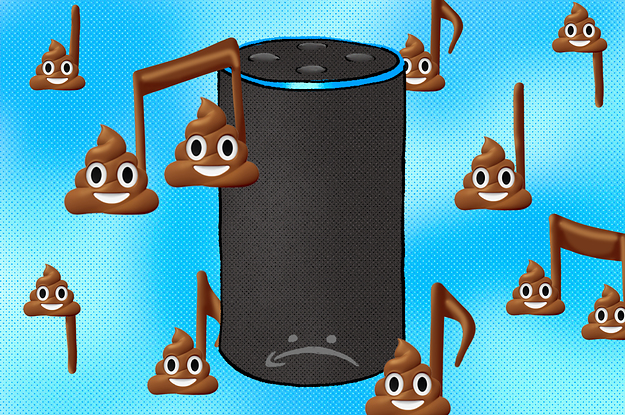
When Kids Yell “Poop” At Alexa, These People Profit


“Alexa, play ‘Poopy Stupid Butt’ again.”


View Entire Post ›


via BuzzFeed News https://ift.tt/tAVXuJ1

My Girlfriend And I Played A Video Game About Divorce


It Takes Two, a video game about a married couple on the verge of divorce, is a fun but also frustrating depiction of a romantic relationship.


View Entire Post ›


via BuzzFeed News https://ift.tt/OWb2CPL

Twitter Readies Edit Feature for Premium Users


Permanently misspelled or garbled tweets might soon be a thing of the past. Twitter said Thursday it’s working on allowing users to edit their tweets, which it said is one of the most requested features to date. The social media company said in a blog post that it’s testing the “Edit Tweet” feature internally with plans to roll it out later this month to subscribers of its premium Twitter Blue service. The edit function will give users 30 minutes to make changes such as fixing typos or adding hashtags after first publishing a tweet. To make it clear that a tweet has been modified, they’ll be labeled and appear with an icon and timestamp.

via Tech – NBC Chicago https://ift.tt/GaYWCUs